MindFormers 模型微调
分类
资料库学习笔记人工智能
标签
MindFormers学习笔记
- 这里实验环境以
Python==3.10.8、mindspore==2.6.0rc1、MindFormers==v1.5.0、CANN==8.0.RC1、NPU=910B2x1为例 -
准备工作
-
创建虚拟环境
-
conda create -n base-zxj python==3.10.8 conda init # 如果第一次使用 conda 需要 init 之后断开重连 ssh conda activate base-zxj - 完成后检查 Python 版本并声明 Ascend 变量
-
python --version	# Python版本
npu-smi info	#检查 910B2 芯片识别,检查内存
source /usr/local/Ascend/ascend-toolkit/set_env.sh	# 配置环境变量
echo $ASCEND_HOME_PATH	# 输出路径变量测试
-
-
安装 MindSpore 和 MindFormers
-
pip install -U pip setuptools wheel # 升级基础工具 pip install numpy scipy pyyaml tqdm sentencepiece transformers datasets safetensors # 安装常用依赖 pip install decorator psutil cloudpickle ml-dtypes tornado absl-py pip install mindspore==2.6.0rc1 python -c "import mindspore as ms; print(ms.__version__)" # 检查 MindSpore 版本 # 理想输出有版本 “2.6.0rc1” cd /root/autodl-tmp # 这个是AutoDL平台虚拟机的数据盘路径,其他平台按照平台说明的数据持久化目录安装就好了 git clone -b r1.5.0 https://gitee.com/mindspore/mindformers.git cd mindformers pip install -e . # 安装 python -c "import mindformers; print(mindformers.__version__)" # 检查 MindFormers 版本 # 理想输出有版本 “1.5.0” - 需要注意的是,输出 MindSpore 版本的时候注意看头几行输出,是否出现了
No module named xxx的报错,如果看到了一定要先处理掉,避免后续步骤出现问题。比如我这个输出就是缺少了sympy和te模块 -
(base-zxj) root@autodl-container-9a3c4989ed-8b685507:~/autodl-tmp/workspace-zxj/mindformers# python -c "import mindspore as ms; print(ms.__version__)"
[ERROR] ME(19628:281473350602784,MainProcess):2026-04-29-10:11:46.683.000 [mindspore/run_check/_check_version.py:348] CheckFailed: No module named 'sympy'
[CRITICAL] ME(19628:281473350602784,MainProcess):2026-04-29-10:11:46.683.000 [mindspore/run_check/_check_version.py:349] MindSpore relies on whl packages of "te" in the "latest" folder of the Ascend AI software package (Ascend Data Center Solution). Please check whether they are installed correctly or not, refer to the match info on: https://www.mindspore.cn/install
/root/miniconda3/envs/base-zxj/lib/python3.10/site-packages/numpy/core/getlimits.py:549: UserWarning: The value of the smallest subnormal for <class 'numpy.float64'> type is zero.
  setattr(self, word, getattr(machar, word).flat[0])
/root/miniconda3/envs/base-zxj/lib/python3.10/site-packages/numpy/core/getlimits.py:89: UserWarning: The value of the smallest subnormal for <class 'numpy.float64'> type is zero.
  return self._float_to_str(self.smallest_subnormal)
/root/miniconda3/envs/base-zxj/lib/python3.10/site-packages/numpy/core/getlimits.py:549: UserWarning: The value of the smallest subnormal for <class 'numpy.float32'> type is zero.
  setattr(self, word, getattr(machar, word).flat[0])
/root/miniconda3/envs/base-zxj/lib/python3.10/site-packages/numpy/core/getlimits.py:89: UserWarning: The value of the smallest subnormal for <class 'numpy.float32'> type is zero.
  return self._float_to_str(self.smallest_subnormal)
2.6.0rc1
(base-zxj) root@autodl-container-9a3c4989ed-8b685507:~/autodl-tmp/workspace-zxj/mindformers#
-
-
-
详细步骤
-
1. 查看支持的模型配置
-
cd /root/autodl-tmp/mindformers ls configs - 我的输出结果:
(base-zxj) root@autodl-container-9a3c4989ed-8b685507:~/autodl-tmp/workspace-zxj/mindformers# ls configs/ README.md bert clip codellama cogvlm2 convert_config general glm3 glm4 gpt2 llama2 llama3_2 mae mllama qa swin t5 txtcls vit whisper (base-zxj) root@autodl-container-9a3c4989ed-8b685507:~/autodl-tmp/workspace-zxj/mindformers# - 这里考虑到我的环境是单卡64G,性能不足以支撑训练更大的模型,再加上这只是一次探究实验,所以我最终选择
GPT2 small模型configs/gpt2/finetune_gpt2_small_lora_fp16.yaml
-
-
2. 修改配置
-
2.1 先复制一份
-
cp configs/gpt2/finetune_gpt2_small_lora_fp16.yaml \
   configs/gpt2/my_gpt2_lora.yaml
-
-
2.2 修改配置
vim configs/gpt2/my_gpt2_lora.yaml- (1) 单卡训练
use_parallel: False - (2) 关闭 sink mode
sink_mode: False - (3) 降低训练规模
batch_size: 1和seq_length: 512 - (4) 限制训练步数
total_steps: 20或epochs: 1 - (5) 数据路径
dataset_dir: /root/autodl-tmp/workspace-zxj/data/mindrecord这里先占位,一会要用
-
3. 准备数据
- 还是本着 “能跑通” 就行的原则,我们直接做一个数据
-
mkdir -p /root/autodl-tmp/workspace-zxj/data/raw
cd /root/autodl-tmp/workspace-zxj/data/raw

cat > train.txt << 'EOF'
人工智能是未来的重要技术。
大模型可以通过微调适应特定任务。
LoRA是一种高效的微调方法。
MindFormers支持多种大模型。
EOF
-
4. 转 MindRecord
- 先来到刚刚 mindformers 的仓库目录,找一下有没有自带的脚本
-
cd /root/autodl-tmp/workspace-zxj/mindformers find . -name "*gpt2*preprocess*.py" - 大概率是没有的,反正我没有(笑哭)
- 4.1 那就先用临时方案,GPT2 有些配置是可以直接读文本的(先试一下吧,这个最简单)
- 创建一个目录
-
mkdir -p /root/autodl-tmp/workspace-zxj/data/mindrecord - 然后刚刚
2. 修改配置步骤中的数据路径改成:dataset_dir: /root/autodl-tmp/workspace-zxj/data/raw/train.txt
- 4.2 方法二:生成 MindRecord 文件
- 在
MindFormers仓库目录根目录下执行: -
cd /root/autodl-tmp/workspace-zxj/mindformers cat > make_gpt2_mindrecord.py << 'EOF' import os import numpy as np from mindspore.mindrecord import FileWriter out_dir = "/root/autodl-tmp/workspace-zxj/data/mindrecord" os.makedirs(out_dir, exist_ok=True) file_path = os.path.join(out_dir, "gpt2_demo.mindrecord") for f in os.listdir(out_dir): if f.startswith("gpt2_demo.mindrecord"): os.remove(os.path.join(out_dir, f)) writer = FileWriter(file_name=file_path, shard_num=1) schema = { "input_ids": {"type": "int32", "shape": [-1]}, "attention_mask": {"type": "int32", "shape": [-1]}, } writer.add_schema(schema, "gpt2 demo dataset") data = [] seq_len = 512 for _ in range(64): input_ids = np.random.randint(0, 50256, size=(seq_len,), dtype=np.int32) attention_mask = np.ones((seq_len,), dtype=np.int32) data.append({ "input_ids": input_ids, "attention_mask": attention_mask, }) writer.write_raw_data(data) writer.commit() print("MindRecord created:", file_path) EOF python make_gpt2_mindrecord.py - 运行完成后,检查一下数据有没有被生成:
-
ls -lh /root/autodl-tmp/workspace-zxj/data/mindrecord - 如果看到两个文件
-
gpt2_demo.mindrecord gpt2_demo.mindrecord.db - 那么数据生成完成,接下来更改配置文件中的路径:
-
dataset_dir: "/root/autodl-tmp/workspace-zxj/data/mindrecord"
- 在
-
5. 启动训练
-
cd /root/autodl-tmp/workspace-zxj/mindformers python run_mindformer.py \ --config configs/gpt2/my_gpt2_lora.yaml \ --run_mode finetune - 如果出现找不到文件或路径的报错,就去尝试上面的
4.2尝试方法二 - 这个地方出现一个报错:
- 当前状态已经往前推进很多了:
- ✅ MindRecord 已经被读到了
- ✅ 数据集创建成功了:
dataset size:32 - ✅ LoRA 网络也已经构建成功了
- ❌ 现在卡在 序列长度不匹配
- 核心报错是:
input1.shape = [2, 511, 511] input2.shape = [1, 512, 512] - 意思是:GPT2 训练时会把
input_ids自动错位切一位,所以你喂进去 512,内部变成 511,但模型配置还是 512。 - 解决方法就是直接重新生成 513 长度 的 MindRecord。
-
cd /root/autodl-tmp/workspace-zxj/mindformers cat > make_gpt2_mindrecord.py << 'EOF' import os import numpy as np from mindspore.mindrecord import FileWriter out_dir = "/root/autodl-tmp/workspace-zxj/data/mindrecord" os.makedirs(out_dir, exist_ok=True) file_path = os.path.join(out_dir, "gpt2_demo.mindrecord") for f in os.listdir(out_dir): if f.startswith("gpt2_demo.mindrecord"): os.remove(os.path.join(out_dir, f)) writer = FileWriter(file_name=file_path, shard_num=1) schema = { "input_ids": {"type": "int32", "shape": [-1]}, "attention_mask": {"type": "int32", "shape": [-1]}, } writer.add_schema(schema, "gpt2 demo dataset") data = [] seq_len = 513 for _ in range(64): input_ids = np.random.randint(0, 50256, size=(seq_len,), dtype=np.int32) attention_mask = np.ones((seq_len,), dtype=np.int32) data.append({ "input_ids": input_ids, "attention_mask": attention_mask, }) writer.write_raw_data(data) writer.commit() print("MindRecord created:", file_path) EOF python make_gpt2_mindrecord.py 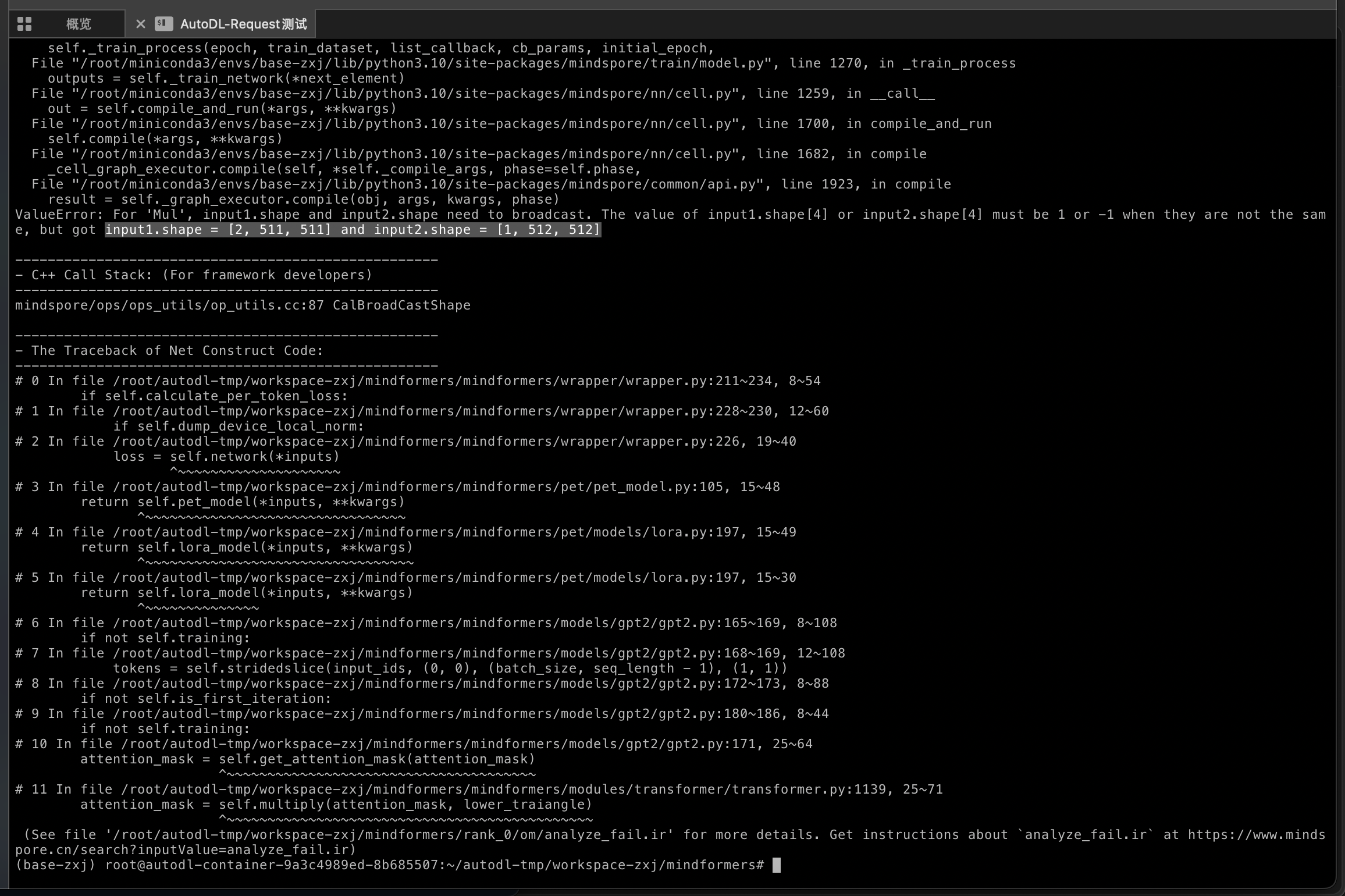
- 当前状态已经往前推进很多了:
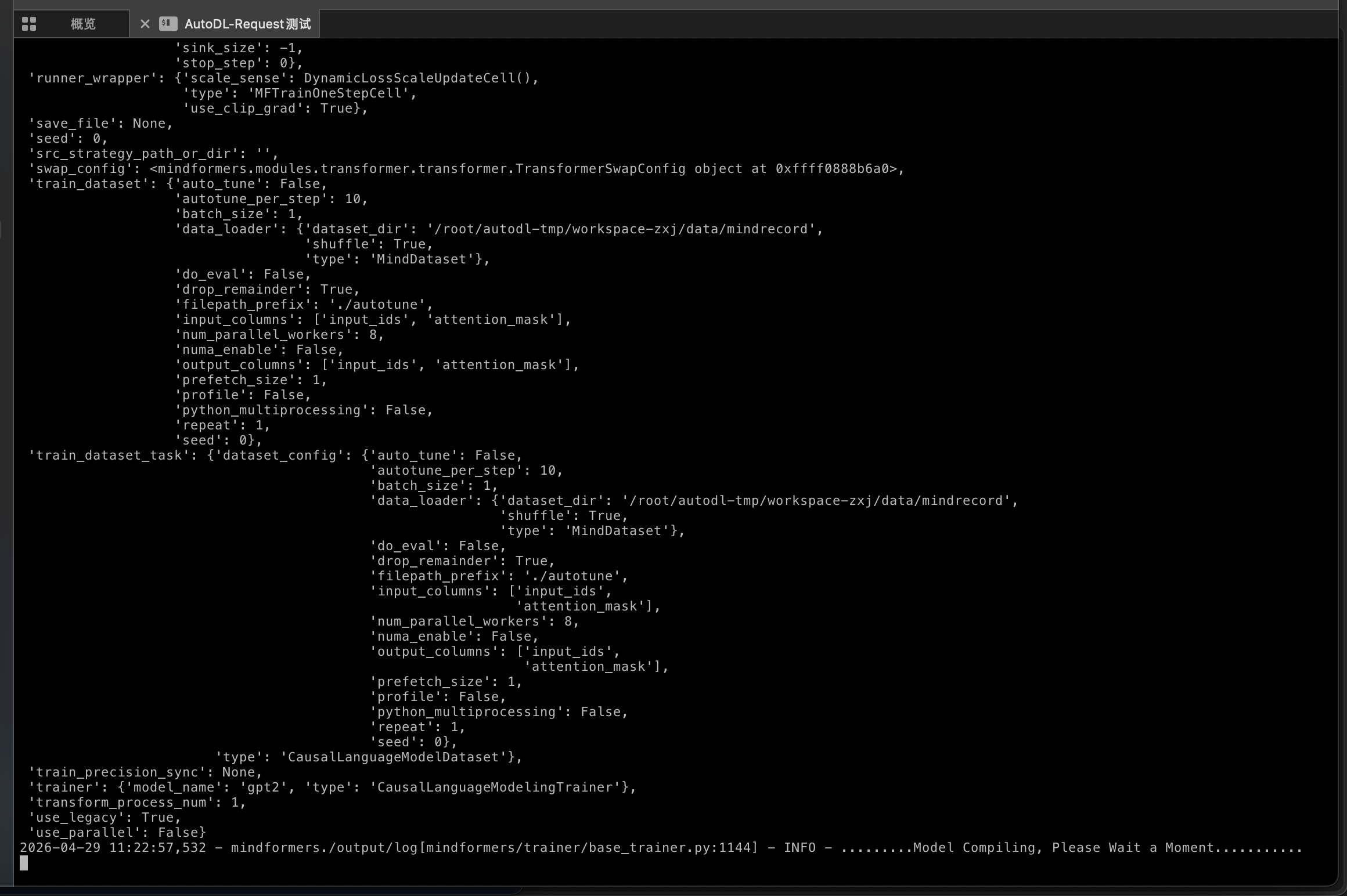
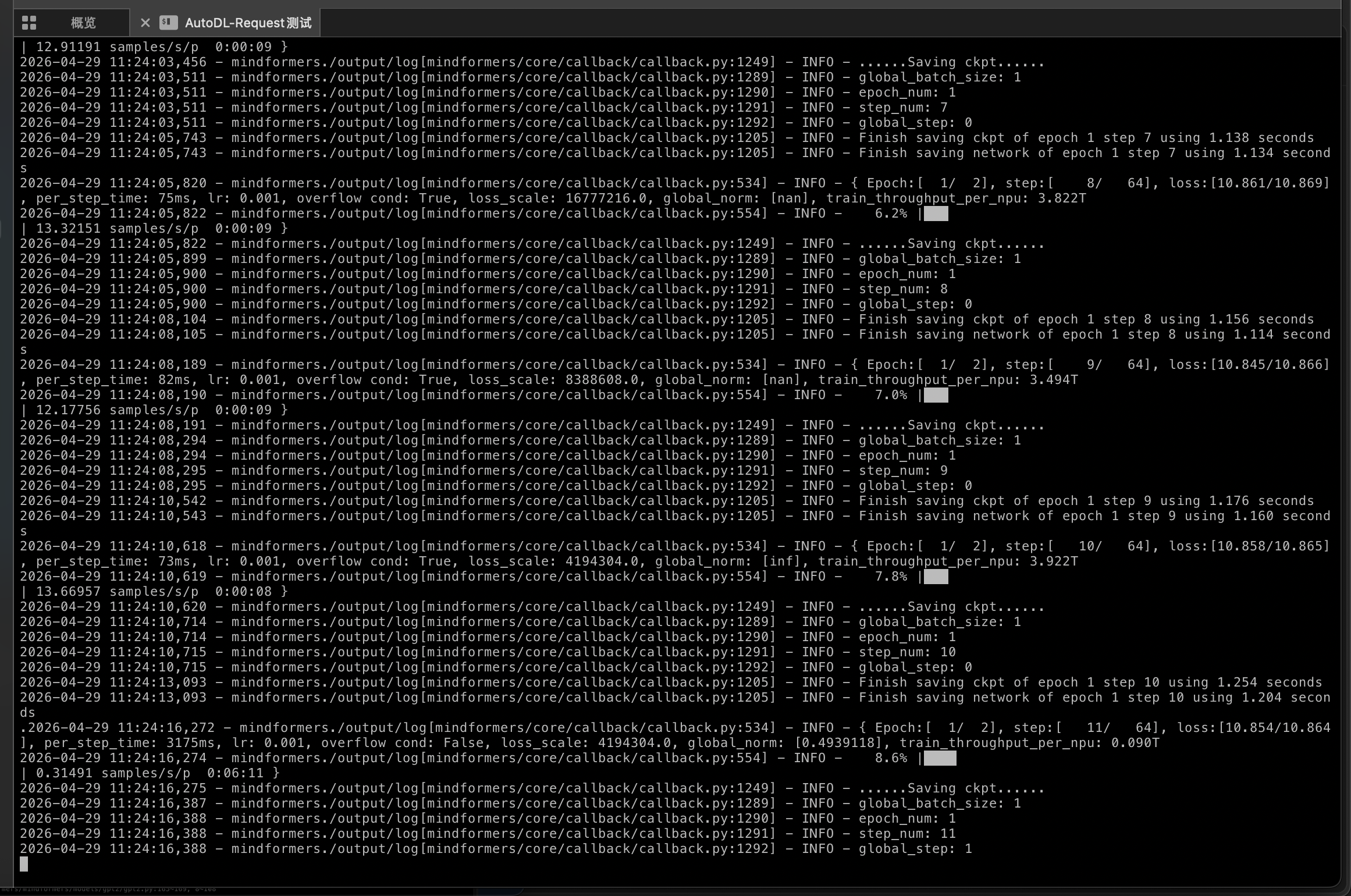
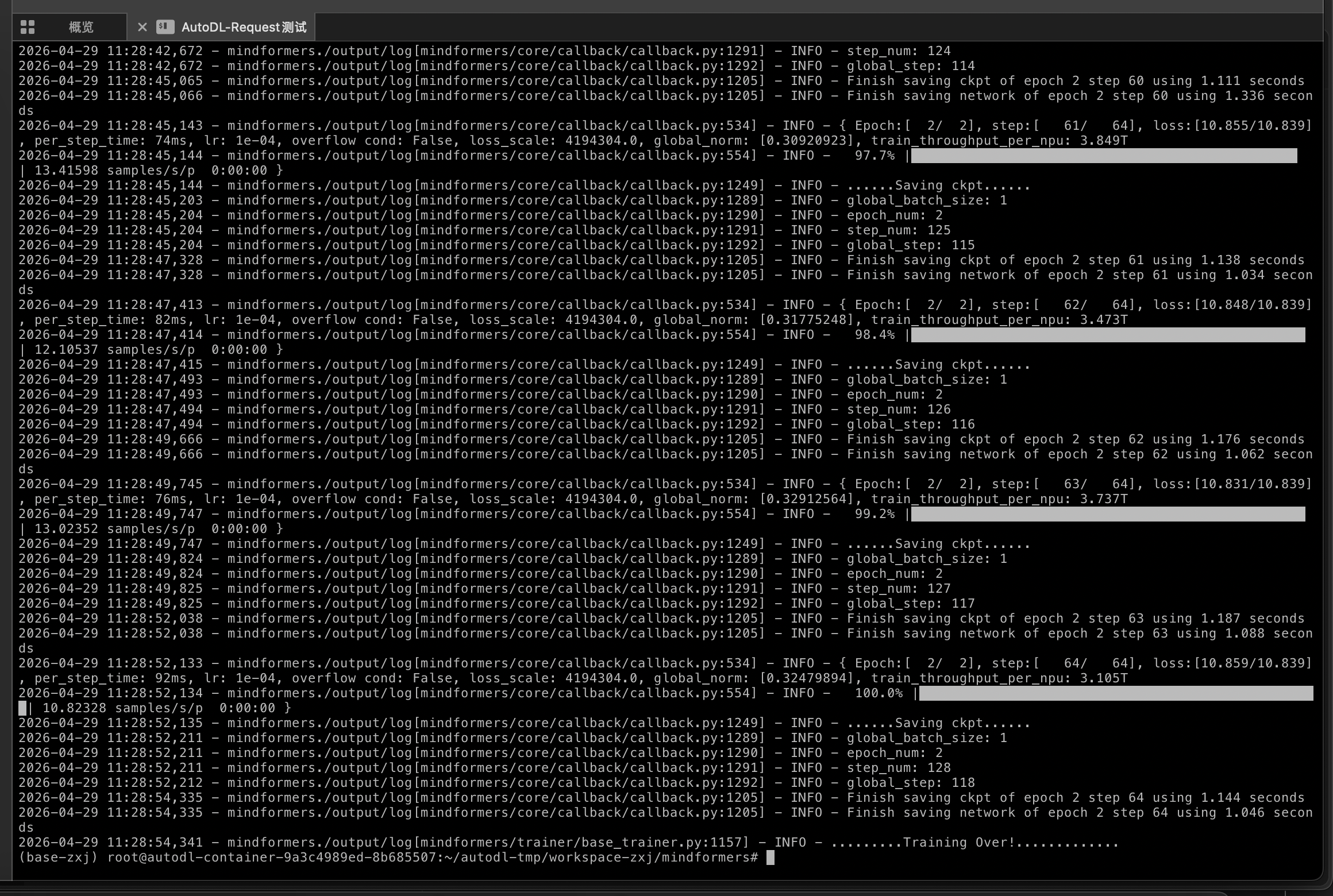
- 正常来说,出现如下界面就是训练开始
-
-
-